The popular add-on, updated for Windows Live Messenger 2011
IMPORTANT: Microsoft is replacing Windows Live Messenger with Skype. All your contacts will be moved automatically. Take a look at The Complete Guide to Moving from Messenger to Skype for more information, alternatives and tips.
Messenger Plus! is a plugin for Windows Live Messenger that adds more features to theinstant messenger like skins, tabbed conversations, custom sounds and more.
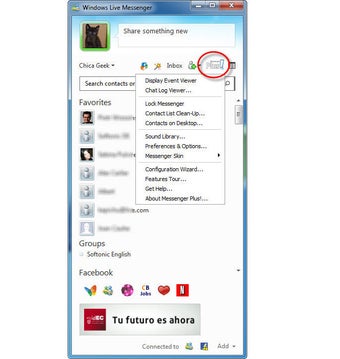
Messenger Plus! is the most popular MSN plug-in, collecting together all the extras users could ask for into one program. It's certainly an excellent pack of tools which heavy Messenger users consider as essential and which certainly improves your IM experience. Over all these years it has been able to adapt to every new Messenger version, including the name change and the new interface design. In fact, Messenger Plus! is now seamlessly integrated into Windows Live Messenger 2011: the only way you can tell it's there is by the tiny button on the top right corner of the main interface.
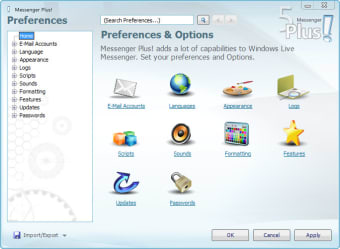
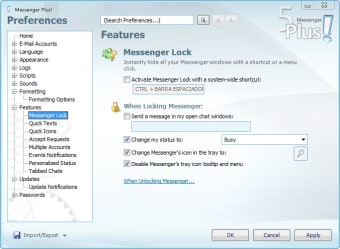
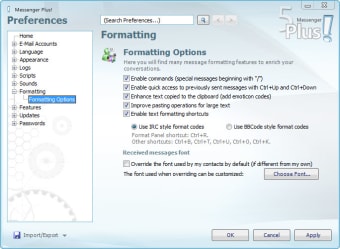
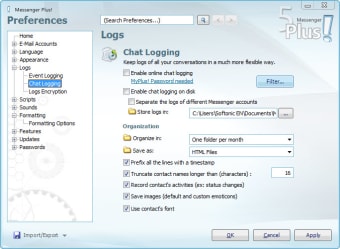
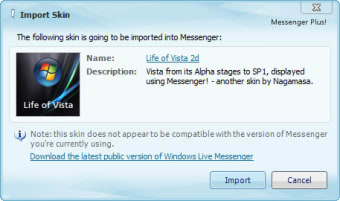
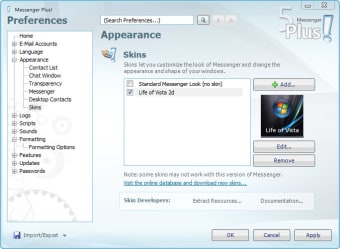
The Messenger Plus! tools can be divided into several groups, depending on the aim they're made for: you get tools to improve your chats, format text, change Messenger's appearance with skins, customize fonts and manage chat logs, among others. Messenger Plus! also lets you password protect your Messenger and includes support for scripting, so that you can add your own features to the plug-in.
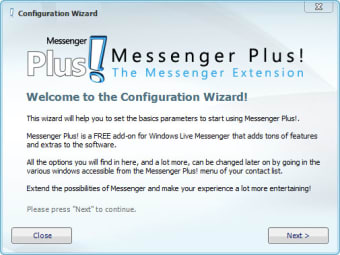
The list of improvements Messenger Plus! brings to Windows Live Messenger doesn't end here. Tabbed chat windows, custom status messages, quick texts for frequently used expressions are just some of the new features you’ll be able to enjoy with Messenger Plus!. It can take a while to tweak all these settings, but fortunately a useful after-install wizard makes the basic initial configuration a lot easier.
All in all, Messenger Plus! is probably the only plug-in you'll ever need, especially if you like customizing every single detail of your Messenger.
Changes
Support WLM 2012
Pros
Very well integrated into Messenger
Vast selection of new and improved features for Messenger
Messenger Plus! Live is the one essential add-on for Windows Live Messenger, period. After 150 million installations since 2001, when it started as a simple add-on for MSN Messenger 3, Messenger Plus! is guaranteed to improve your Messenger experience by leaps and bounds. You won't just get a couple of new options, what you'll get is a whole new dimension for the Windows Live Messenger software.
Thought out end-to-end to improve and enhance your instant messaging without getting in your way, Plus! adds lots of capabilities to Windows Live Messenger. It lets you use them at your will from the simple Plus! menu that gets added to every Messenger window and a couple of new buttons you'll find within the Messenger interface:
Tabbed chats
Use a tabbed web browser? Even if you don't, you might find tabbed conversations useful for organizing your chats by converting a myriad of windows into a simple single one. Vertical tabs on the left, normal tabs on the top. You name it. You can also use tabs to group just some special chats and keep all the rest in normal windows.
Personalized Status
Create custom away or busy statuses with a special name tag, personal message or even an auto-responder. Set a timer to reset your status in a certain time and organize presets to reuse common statuses.
Contacts on Desktop
Similar to what ICQ used to offer, you can show the status of any desired contact on your desktop in the form of small floating windows. You can drag and drop messages or links into these to send a message to the contact, or drop a file to start a transfer.
Event viewer and event logging
Contact sign ins and sign outs, status changes, display name and personal messages changes. Everything can be logged and archived in XML-based files which you can view from your browser. You can also use the Event Viewer in the Plus! menu to view this info in real time, to find if a certain contact signed in earlier or analyze their status changing behaviour, or even their musical tastes!
Send and receive messages. It has a great variety of functions - when it works. most of the time I sign in it refuses to send messages, doesn't tell me why, and "repair" doesn't seem to fix the issue, so I have to restart the program literally 25 times before I can talk to anyone. I cant use a program that does that all the time.
Anonymous user
Need help. i recently dwnloaded this and my bf dnt have it and when i tlk to him and type all i see is numbers :/
Anonymous user
Can't change font color. I use msn 2011. I can't change the font color. On the plus icon it's shown software not loaded. How can I do?
Anonymous user
I love it . since Messenger Plus! took out the popups adware, messenger Plus! is real funthe new toolbar is real cool Thank you Pros: LOVE it
Anonymous user
Hiya. i lyk it very much it is so cool and it helps u to understand diffrent stuff 2 also u get to know more people Pros: x Cons: x
Anonymous user
Its amazing !. i think this is really good, efficient, and easy to use ! :) It didnt take long to download and also, was quick and easy to get the hang of,all the apps available worked well, and im really happy with it, i downloaded it once with no problems, and i still use it now. i havent had any issues with it, and im even more addicted now ! Pros: quick , and easy to use, and clear instructions . Cons: some aspects are harder to find, but once you know how, it is simple.
Laws concerning the use of this software vary from country to country. We do not encourage or condone the use of this program if it is in violation of these laws. Softonic may receive a referral fee if you click or buy any of the products featured here.













.jpg)