
.png)


The popular add-on, updated for Windows Live Messenger 2011
IMPORTANT: Microsoft is replacing Windows Live Messenger with Skype. All your contacts will be moved automatically. Take a look at The Complete Guide to Moving from Messenger to Skype for more information, alternatives and tips.Messenger Plus! is a plugin for Windows Live Messenger that adds more features to the instant messenger like skins, tabbed conversations, custom sounds and more.
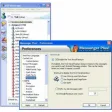
Messenger Plus! is the most popular MSN plug-in, collecting together all the extras users could ask for into one program. It's certainly an excellent pack of tools which heavy Messenger users consider as essential and which certainly improves your IM experience. Over all these years it has been able to adapt to every new Messenger version, including the name change and the new interface design. In fact, Messenger Plus! is now seamlessly integrated into Windows Live Messenger 2011: the only way you can tell it's there is by the tiny button on the top right corner of the main interface.
The Messenger Plus! tools can be divided into several groups, depending on the aim they're made for: you get tools to improve your chats, format text, change Messenger's appearance with skins, customize fonts and manage chat logs, among others. Messenger Plus! also lets you password protect your Messenger and includes support for scripting, so that you can add your own features to the plug-in.
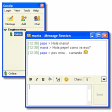
The list of improvements Messenger Plus! brings to Windows Live Messenger doesn't end here. Tabbed chat windows, custom status messages, quick texts for frequently used expressions are just some of the new features you’ll be able to enjoy with Messenger Plus!. It can take a while to tweak all these settings, but fortunately a useful after-install wizard makes the basic initial configuration a lot easier.
All in all, Messenger Plus! is probably the only plug-in you'll ever need, especially if you like customizing every single detail of your Messenger.
Support WLM 2012
Changes
Support WLM 2012
.png)




.jpg)

















User reviews about Messenger Plus!
by Anonymous
send and receive messages.
It has a great variety of functions - when it works. most of the time I sign in it refuses to send messages, doesn't tell me why, and "repair" doesn't seem to fix the issue, so I have to restart the program literally 25 times before I can talk to anyone. I cant use a program that does that all the time. More
by Anonymous
Messenger Plus! 5.11 has flash animations (winks).
The latest version of Messenger Plus! for Windows Live Messenger is 5.11 adds the ability to send flash animations (winks) to contacts. It also keeps in tact the popular, traditional Messenger Plus! features like Unlock Messenger and multiple accounts. In response to the question about compatibility with Windows Live Messenger (WLM) 2011, Versions 5.0 and higher of Messenger Plus! are compatible with both WLM 2011 and WLM 2009 (XP)
Pros:
Choice of 35 winks
Skin Creator and editor (since 5.10)
Chat Assistant
Brazilian Portuguese version now available
Still supports both WLM 2011 and WLM 2009 (XP)
Cons:
To view the winks and some other features, your contacts also need to download Messenger Plus! More
by Anonymous
need help.
i recently dwnloaded this and my bf dnt have it and when i tlk to him and type all i see is numbers :/
by Anonymous
can't change font color.
I use msn 2011. I can't change the font color. On the plus icon it's shown software not loaded. How can I do?
by Anonymous
Does it support msn 2011?.
Does Messenger Plus! 4.85.386 support msn 2011? I try to download but no work on msn 2011 version................................................... More
by Anonymous
Great.
That's Really Really Good !I Find It Helpful and Wonderful . . ~ I'm Really Happy Thank you . .Thank you Soo Much For this Programs . .Keep It Up .. More